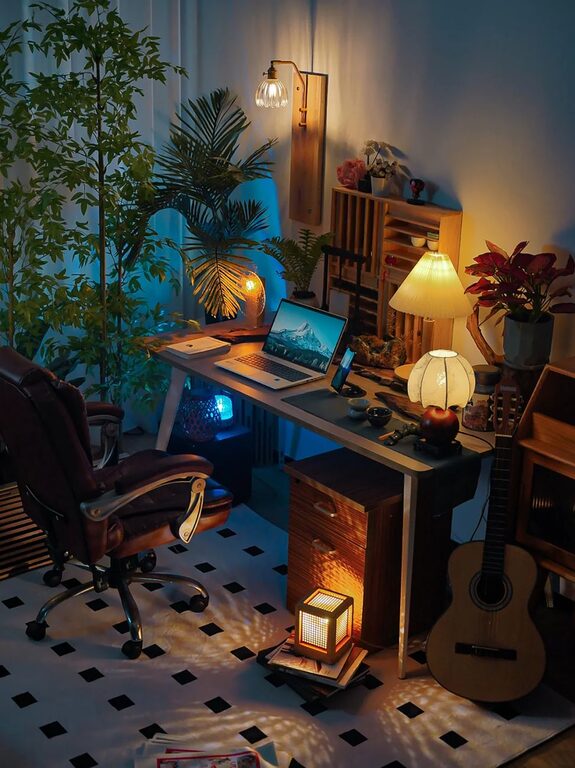

Creating a home office that is both cozy and productive can significantly enhance your work-from-home experience. With the right setup, you can maintain focus, reduce stress, and even enjoy the time spent at your workspace. Whether you have a dedicated room, a corner in the living room, or a small nook, these tips will help you design an environment that encourages creativity and efficiency.
Choose the Right Location
Find a Quiet Spot
Selecting a location away from household noise and distractions is essential. If possible, use a separate room with a door to close off sounds and create a boundary between work and home life.
Consider Natural Light
Natural light boosts mood and energy levels. Position your desk near a window, but avoid glare on your computer screen. If natural light is limited, invest in quality artificial lighting that mimics daylight.
Invest in Comfortable Furniture
Ergonomic Chair and Desk
Comfort is key when working long hours. Choose an ergonomic chair that supports your back and promotes good posture. Pair it with a desk at the right height to prevent strain on your wrists and shoulders.
Personalize with Soft Textures
Add cozy elements like a soft throw blanket or a cushioned seat pad. These touches make your space feel inviting without sacrificing professionalism.
Organize Efficiently
Declutter Your Desk
A tidy workspace helps clear your mind. Keep only essential items within reach and store away papers or gadgets you don’t use daily.
Use Storage Solutions
Shelves, drawers, and organizers can keep supplies neatly arranged. Label boxes and files for easy access, reducing time spent searching for things.
Enhance Focus with Design
Choose Calming Colors
Colors influence mood. Soft neutrals, light blues, or greens foster a calm environment conducive to concentration.
Add Plants
Indoor plants improve air quality and add a lively, refreshing touch. Low-maintenance options like succulents or snake plants work well in office settings.
Optimize Technology Setup
Reliable Internet and Equipment
Ensure you have a strong internet connection and functional devices. Quality headphones or speakers can help during virtual meetings by reducing background noise.
Cable Management
Keep cables organized using clips or covers. A neat setup prevents distractions and minimizes accidental disconnections.
Create Boundaries and Rituals
Establish Work Hours
Set clear start and end times for your workday to maintain balance. Communicate your schedule to family or housemates.
Develop a Morning Routine
Preparing for work as if you’re going to an office—showering, dressing, or having a dedicated coffee time—can mentally prepare you for productivity.
Personalize Your Space
Add Inspirational Items
Include photos, art, or motivational quotes that inspire you. A personalized space fosters positive energy and keeps you engaged.
Keep Items Functional
Choose décor that is both attractive and practical, such as a stylish calendar, a clock, or a whiteboard.
Take Breaks and Move
Incorporate Movement
Set reminders to stand, stretch, or walk for a few minutes every hour. Movement helps prevent fatigue and promotes creativity.
Create a Relaxation Corner
If space permits, have a small area with a comfy chair or cushion where you can relax briefly during breaks.
—
Creating a cozy and productive home office is about balancing comfort with functionality. By carefully selecting your space, furnishing it thoughtfully, and organizing efficiently, you’ll build an environment that supports your best work while keeping you comfortable throughout the day. Remember, your workspace should evolve with your needs, so don’t hesitate to adjust elements as you discover what works best for you.
About the Author