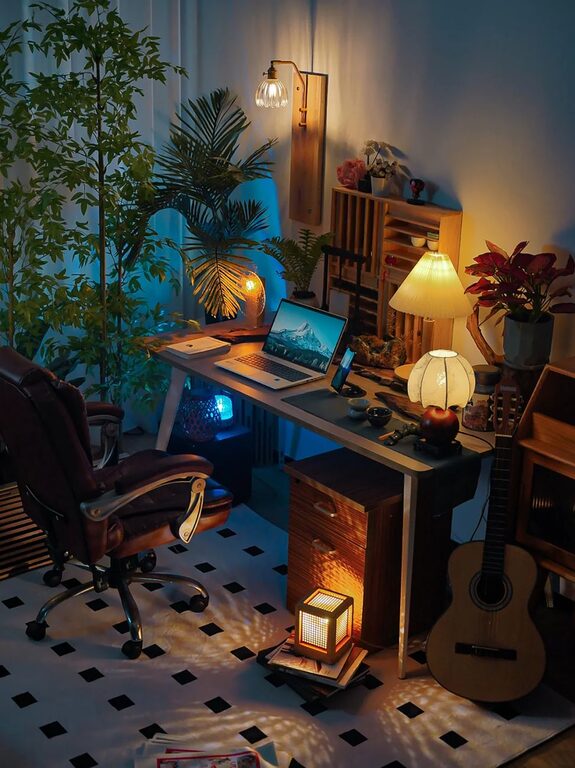
Creating a home workspace that balances coziness and functionality can make a significant difference in your daily productivity and overall well-being. Whether you’re working remotely, studying, or pursuing a hobby, a thoughtful setup helps you stay organized and motivated without sacrificing comfort. In this post, we’ll explore practical tips to design a workspace that feels inviting and supports your tasks effectively.
Why Create a Cozy and Functional Workspace?
A cozy workspace promotes relaxation and reduces stress, while a functional design ensures you have everything you need within reach. Together, these qualities help improve focus, reduce distractions, and make your work hours more enjoyable.
Choosing the Right Location
Choosing the right spot for your home workspace is the first important step.
– Natural Light: Position your desk near a window to enjoy natural light. It boosts mood and energy.
– Quiet Area: Select a space away from household noise and distractions.
– Space Considerations: Make sure there’s enough room for your desk, storage, and movement.
If you don’t have a dedicated room, consider using room dividers, portable screens, or even creative corners in living areas.
Furniture and Ergonomics
Comfort and functionality start with furniture choices.
Desk and Chair Selection
– Desk Size: Choose a desk that accommodates your computer, accessories, and any paperwork.
– Ergonomic Chair: Invest in a chair that supports your back and allows adjustable height to maintain good posture.
– Standing Options: Consider a sit-stand desk or desk converter to alternate between sitting and standing.
Organize for Accessibility
Keep daily-use items like pens, notebooks, and chargers within arm’s reach to minimize interruptions.
Lighting Matters
Good lighting is essential for reducing eye strain.
– Layered Lighting: Use a combination of natural light, overhead lights, and task lamps.
– Warm Light: Soft, warm LED bulbs create a cozy atmosphere.
– Adjustable Lamps: Position task lamps to directly illuminate your work surface.
Personalizing Your Workspace
A personalized space makes working more enjoyable.
– Decor: Add plants, artwork, or photos that inspire you.
– Color Scheme: Choose soothing colors, such as soft blues, greens, or neutrals.
– Textiles: Use cushions, rugs, or blankets to add warmth and texture.
Keeping Organized
Clutter can hinder productivity. Use these strategies for organization:
– Storage Solutions: Shelves, drawers, and boxes keep supplies neat.
– Cable Management: Use clips or sleeves to keep cords tidy.
– Daily Clean-up: Spend a few minutes each day tidying your workspace.
Technology Setup
Ensure your technology supports your work smoothly.
– Reliable Internet: Use a strong Wi-Fi connection or consider wired options for stability.
– Appropriate Devices: Choose computers, monitors, and accessories that fit your work needs.
– Backup Plan: Keep chargers, extra batteries, or power banks handy.
Taking Breaks and Staying Comfortable
Don’t forget to care for your body and mind throughout the day.
– Regular Breaks: Follow the 20-20-20 rule — every 20 minutes, look 20 feet away for 20 seconds.
– Movement: Stretch or walk around periodically.
– Hydration and Snacks: Keep water and healthy snacks nearby.
Final Thoughts
Designing a cozy and functional home workspace involves a balance of thoughtful layout, ergonomic furniture, good lighting, and personal touches. With a well-planned space, you can transform work hours into a more pleasant and productive experience. Take your time experimenting with different elements until you find what works best for you.
—
Whether you’re creating a new home office or improving an existing one, these tips can help you build a space that supports your goals while feeling truly comfortable. Happy working!
About the Author